
SELECT
Don't get pulled into
the information vortex.
Which app to open is
always in the palm
of your own hand.
Don't get pulled into
the information vortex.
Which app to open is
always in the palm
of your own hand.
of users say the urge to
"open the phone for no reason" and
"lose track of time scrolling"
has eased since starting SELECT.
* Internal survey, May 31, 2026
The moment you open it,
your brain crashes.
Not by jumbled home-screen icons
or vaguely-named folders,
but by what you're about to do when you pick up your phone or laptop.
The hundreds of apps on your device
fit into exactly these five.
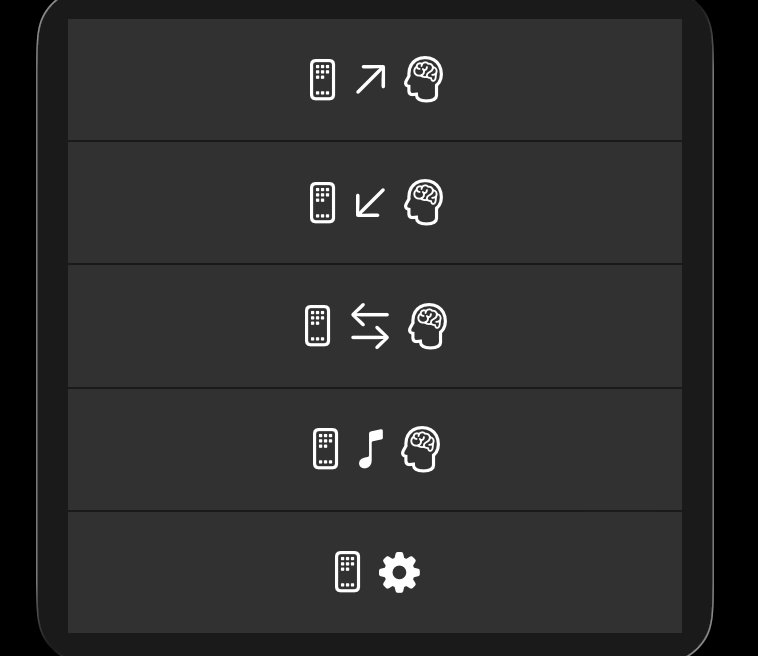
Take in what the world sends your way. Notifications, messages, schedules, news, timelines. "Read", "see", "find out" — actions that flow inward.
Take what's inside you — or in front of you — and put it somewhere outside. Write, capture, archive. A flow that goes inside → out.
Exchange with another person, back and forth. Receiving and sending keep alternating — different from one-way "Receive", different from inward "Record". The space between people.
Use your device for yourself, not for a task. Listen to music, watch a video, play a game, dive into content. Take the time to consume — knowingly, intentionally.
Tune your apps, devices, and surroundings. Change a setting, check a balance, look at a status and make a small adjustment. Not passive, not creative — just keeping things in order.
By platform.
Mode switching, bulk operations, category reorganization — all happen inside the app behind the widget.
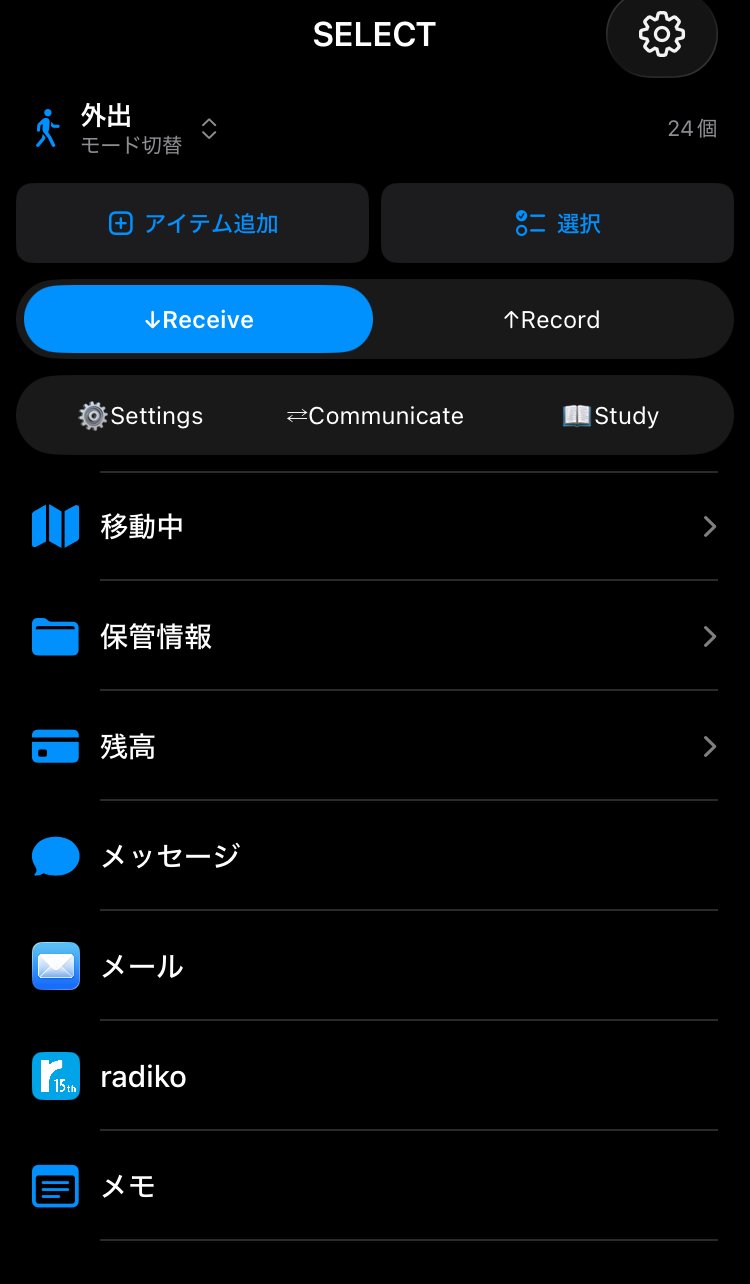
Apps, Shortcuts, Websites, Folders. Add them via App Store search or Shortcuts.app integration.
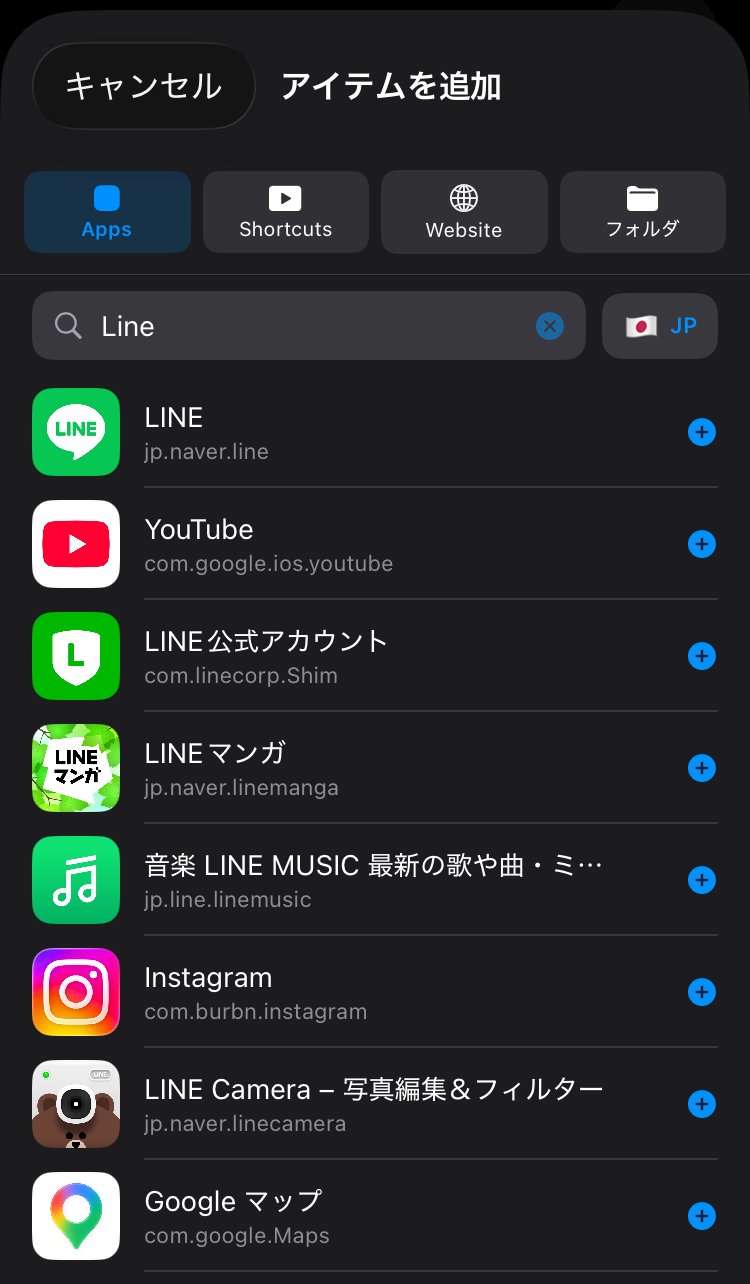
Place the widget and reach the item you want directly — without opening the app first.
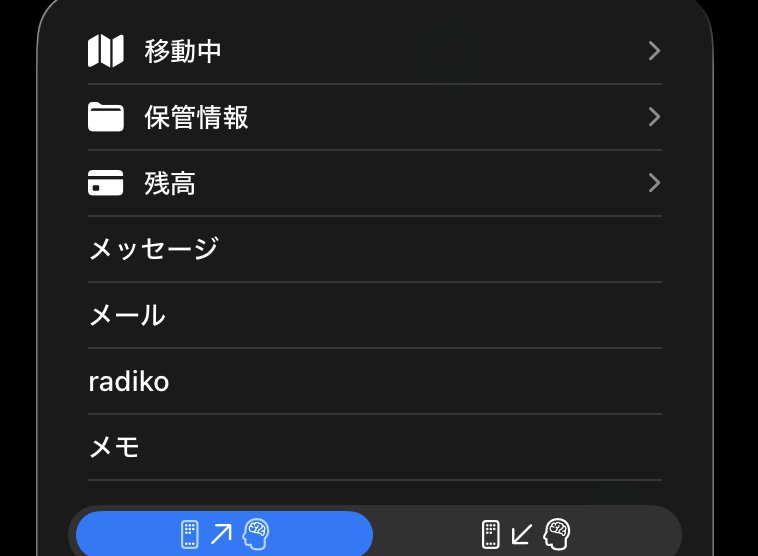
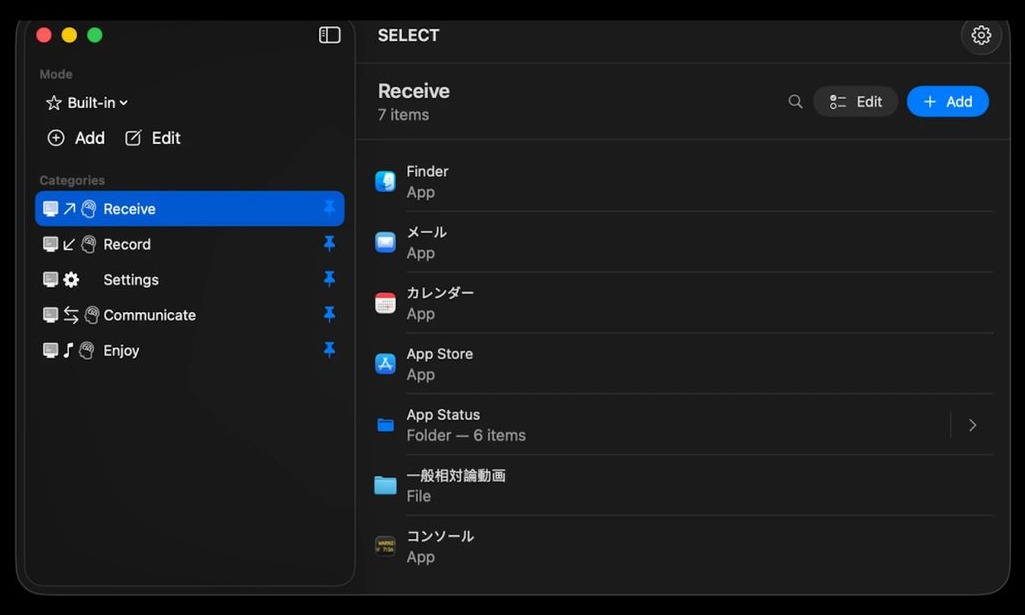
Modes and categories on the left. Items on the right. Double-click to launch, drill into folders.
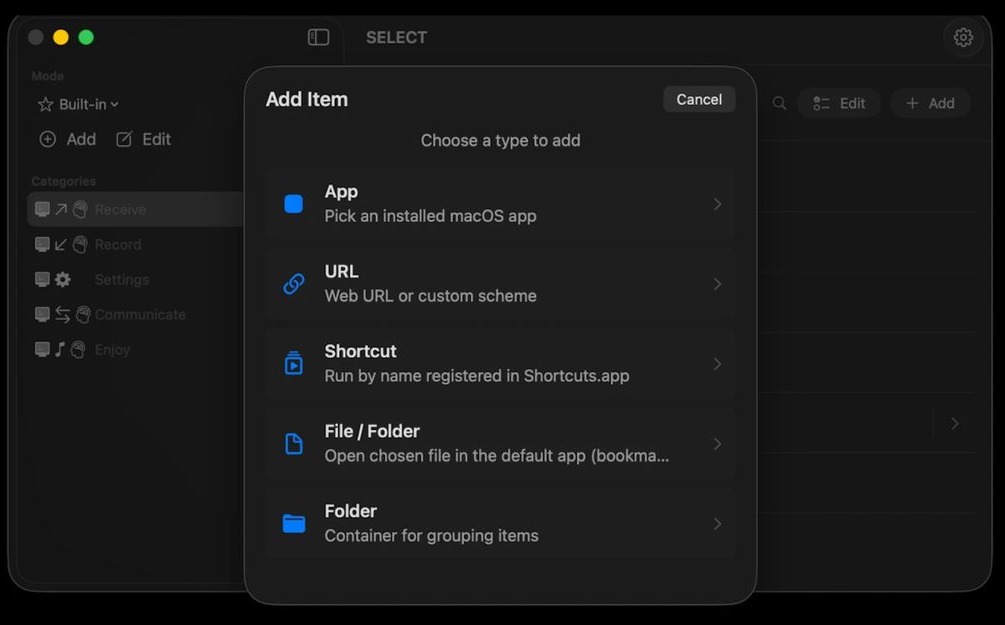
Apps, URLs, Shortcuts, Files / Folders, and grouping Folders — all behind one Add button.
Pinned categories sit at the top of your screen. Reach them without ever opening the app.

SELECT runs as an alternative home launcher. Hit the home button and the five-verb circle is right there — no extra tap to open an app first.
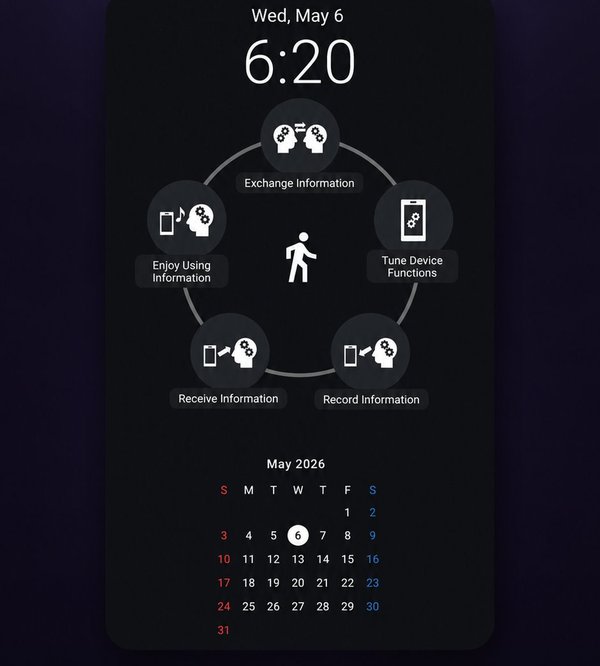
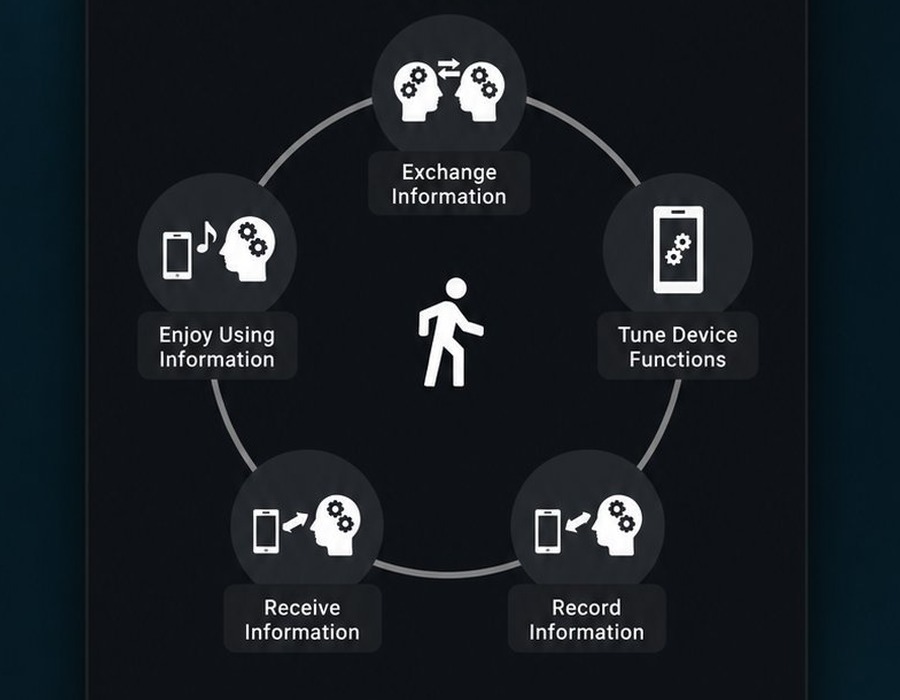
Exchange, Receive, Record, Tune Device, Enjoy — arranged in a circle around a central figure. A visual entry point that lets you pick by intent.
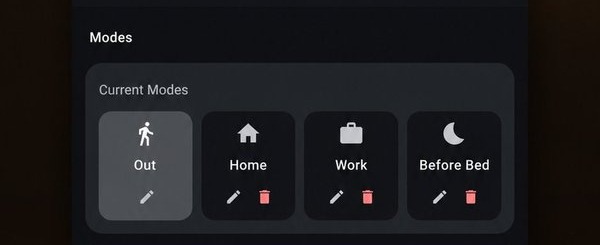
Out / Home / Work / Before Bed — keep independent modes per situation, each with its own categories and display preferences.
Available now. Start choosing with intent today.
Common questions about SELECT.
SELECT is a free app launcher that organizes apps, URLs, files, and shortcuts into five verb-based categories (Receive, Record, Communicate, Enjoy, Settings) — accessible from your home screen, menu bar, or widgets. Built as a minimal launcher for iPhone, Mac, and Android, it suits anyone looking for a minimal launcher, simple launcher, or a minimalist phone setup.
Conventional iOS / macOS / Android home screens rely on app icons and improvised folders. SELECT lets you organize apps by what you're about to do — a purpose-based / intent-based launcher acting as the folder alternative iOS users have wanted for years. Instead of grouping by app type, you group by activity (action-based app organizer). Useful when you want to organize home screen, customize home screen, declutter home screen icons, or aim for a clean home screen — a different take on what an iPhone home screen organizer can be.
People wanting a digital detox app, focus app, or phone addiction recovery tool. Users looking to reduce screen time, work on screen time management, or use a distraction blocker. Minimalists chasing a minimalist phone, and anyone who wants more mindful phone use / intentional phone use. Also popular with people who identify as digital minimalists, with ADHD who get easily distracted by phone notifications, or who've considered switching to a dumb phone but want to keep their smartphone manageable.
SELECT ships as an iOS app launcher (iPhone launcher), a macOS launcher (Mac launcher), and an Android launcher. The same concept and data work across all three.
Yes. As an iOS widget launcher, SELECT supports home screen widget custom layouts, lock screen widget setups, and one-tap widget app launching.
iCloud sync across iPhone, iPad, and Mac. Cross-device launcher state — categories, modes, items — stays in sync via your private CloudKit database (cross-device app management).
Create separate modes for Work, Home, Focus, Travel, etc. — a mode switcher launcher / context-aware launcher that surfaces different apps in different contexts. Works as a focus mode launcher for deep work, a work mode launcher for office hours, or a home mode launcher for evenings. Many users adopt SELECT as one of their remote work tools.
SELECT promotes mindful phone use / intentional phone use by adding a "why" step before app launches. It works as a soft distraction blocker and notification reducer for users working on reduce-screen-time goals or building healthier screen time management routines.
Yes. The Mac menu bar launcher mode pins categories to the menu bar for one-click access — no need to leave your current app. Use it alongside the Dock or as a Dock replacement.
SELECT is a privacy-first launcher with no analytics and no third-party tracking — an ad-free launcher / no-analytics launcher. iOS and Mac use Apple's private CloudKit (encrypted, accessible only by the iCloud account owner). Android runs fully offline as an offline launcher with no network calls.